Production Goods & Services

19hits

Narrow by category

“ci.Himalayas/GLOBAL” – A Multilingual Cloud-Based WMS Supporting Overseas Logistics Operations

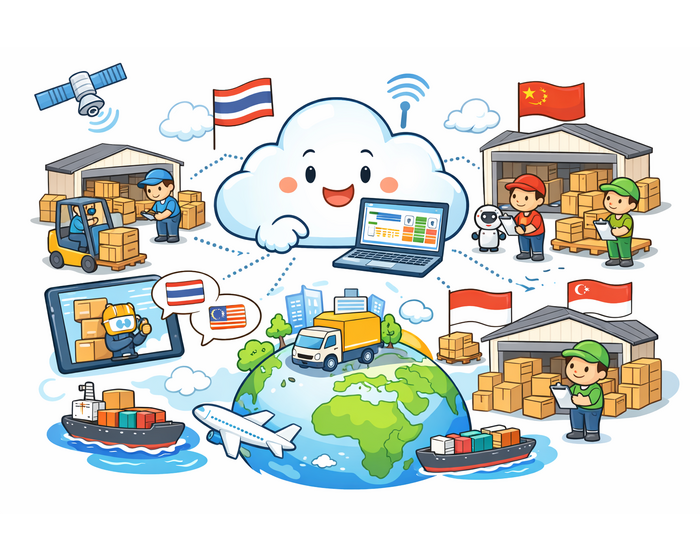
“ci.Himalayas/GLOBAL” is a cloud-based multilingual warehouse management system "WMS" designed to streamline warehouse operations at overseas sites. It supports Japanese, English, Chinese, Thai, and other ASEAN languages. “ci.Himalayas/GLOBAL” is a cloud-based multilingual warehouse management system "WMS" offered by CNET It supports multiple languages including Japanese, English, Chinese, Thai, and other ASEAN languages, helping streamline warehouse operations at overseas locations. As a cloud-based system, it can be accessed from anywhere with an internet connection, enabling quick implementation with minimal initial investment. Key Features - Multilingual Support: Compatible with Japanese, English, Chinese, Thai, and various ASEAN languages. - Cloud-Based Convenience: Accessible from anywhere with internet access. - Quick Deployment: Cloud-based design enables rapid implementation with low upfront costs. - Flexible Customization: Customizable to suit various industries and business formats. - High Inventory Accuracy: Seamless integration with core systems (ERP) improves inventory precision. Specifications - Supported Languages: Japanese, English, Chinese, Thai, and ASEAN languages. - Deployment Type: Cloud-based. - Supported Operations: Inbound/outbound management, inventory control, stocktaking, location management, etc. - System Integration: Seamless linkage with core systems (ERP). - Support Structure: Support system established through cooperation with local subsidiaries. Applications - Manufacturing: Streamline component inventory and shipping operations at overseas plants. - Retail: Centralized inventory management and efficient restocking across multiple store locations. - Logistics: Improve efficiency and accuracy in managing multi-site and multi-client warehouse operations. - E-Commerce: Optimize inventory control and shipping tasks in overseas warehouses. “ci.Himalayas/GLOBAL” leverages multilingual capabilities and cloud-based convenience to streamline warehouse management at overseas locations, enhancing inventory accuracy and standardizing operations. ※ For more details, please contact us below or download the document for further information. #WarehouseManagement #WMS #CloudWMS #MultilingualSystem #OverseasOperations #InventoryControl #Logistics #GlobalExpansion #ERPIntegration #CNET

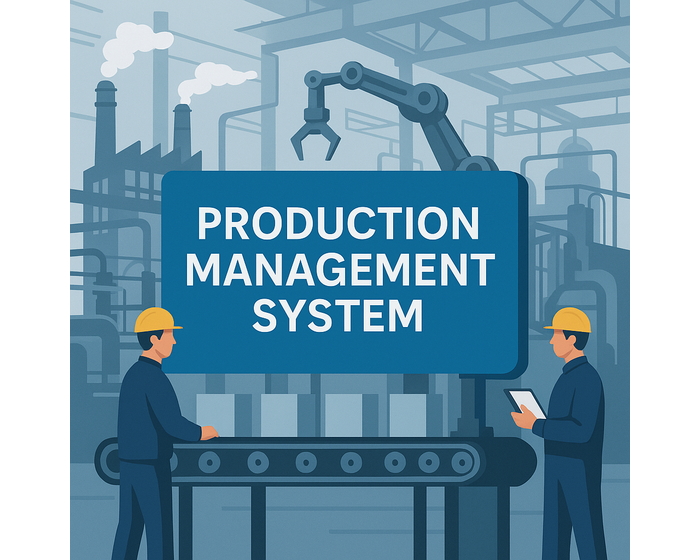
TPiCS-X (Production Management System)|Integrated production control for manufacturing efficiency

"TPiCS-X" by C NET (Thailand) is a flexible production and inventory management system that supports the diverse needs of the manufacturing industry, helping to improve operational efficiency and accuracy. "TPiCS-X" is a production and inventory management system designed for the manufacturing industry. It features functions covering the entire business process, including master data management, sales management, production planning management (MRP and production scheduling), purchasing and production instruction management, shipping management, and inventory management. The system can also be customized to meet specific corporate requirements and supports future expansion of software functionalities. Features - Comprehensive Functions: Supports all manufacturing processes from master data to inventory management. - Flexible Customization: Customizable to fit the specific requirements of each business. - Scalability: Capable of adapting to future expansions in software functions for long-term use. - Support for Various Industries: Integrates with internal systems across a wide range of industries. Specifications - Supported Functions: - Master Data Management - Sales Management - Production Planning Management (MRP and Scheduling) - Purchasing and Production Instructions - Shipping Management - Inventory Management - Customization: Functions can be added or adjusted based on corporate requirements. - Scalability: Ready for future software feature expansions. Applications - Manufacturing: Optimizes the entire production process, including planning, inventory, and shipping. - Inventory Management: Real-time monitoring and control of stock levels. - Purchasing Management: Planning and management of raw material procurement and suppliers. - Shipping Management: Planning and management of product shipping and logistics. "TPiCS-X" is a flexible production and inventory management system tailored to the diverse needs of manufacturers, helping enhance efficiency and accuracy. ※ For more details, please contact us below or download the document for further information. #ProductionManagement #TPiCSX #InventoryControl #MRP #ManufacturingEfficiency #ProductionPlanning #FactoryAutomation #ERP #CostReduction #CNET

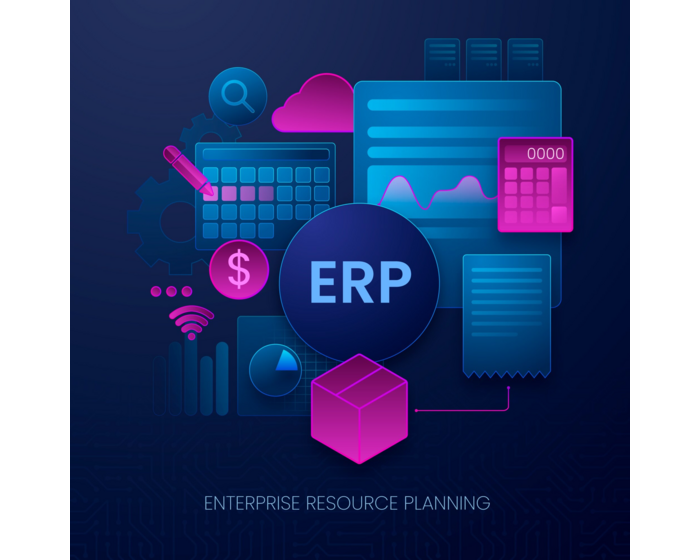
SIMLEX (ERP System)|ERP system designed for Southeast Asian business operations

Integrated Business System for Southeast Asian Manufacturers and Logistics Companies SimLex Series is an integrated ERP solution tailored for businesses expanding into Southeast Asia, especially Thailand and Indonesia. It supports multiple languages and currencies and includes accounting features certified by the Thai Revenue Department. SimLex centralizes core operations such as production, sales, inventory, and barcode-based logistics. Key Features: - Multilingual & Multicurrency: Operates in Thai, Indonesian, English, and Japanese - Local Compliance: Meets tax and accounting standards in Thailand and Indonesia - Modular Design: Select only the functions you need flexible and scalable - All-in-One ERP: Unifies accounting, production, inventory, purchasing, and sales - Barcode Integration: Improves accuracy and speed in logistics and warehouse tasks Specifications: - Industries: Manufacturing, logistics, wholesale, retail - Regions: Thailand, Indonesia, scalable across ASEAN - Deployment: Cloud or on-premise - Modules: ERP, accounting, production, inventory, sales, barcode, purchasing, payroll, and WMS Applications: - Manufacturers: Optimize production planning and inventory control - Logistics: Boost warehouse efficiency and stock tracking - Retail/Wholesale: Manage sales and invoicing in real time - Multinationals: Operate across borders with multilingual and multi-currency features Developer: SimLex Development delivers ERP systems purpose-built for Southeast Asian operations. ※ For more details, please contact us below or download the document for further information. #ERP #SIMLEX #ManufacturingERP #LogisticsERP #SoutheastAsia #Thailand #Indonesia #InventoryControl #MultilingualERP #ASEANBusiness

GAZOCL (Camera)|Cloud-based security camera system for multi-site monitoring

"GAZOCL" is a cloud-enabled remote monitoring system designed to enhance security and service quality in logistics warehouses, retail stores, and production lines. "GAZOCL" is a cloud-based surveillance camera solution provided by CNET It offers a secure and efficient way to monitor logistics warehouses, retail stores, and production lines. By storing video data in the cloud, it minimizes initial costs and provides a high-quality remote monitoring system at an affordable monthly fee. Features - Cloud Storage: Stores video data in the cloud, making it easy to use with low initial investment. - Real-Time Monitoring: Live and recorded footage can be monitored anytime, anywhere with internet access. - Enhanced Security: Data safety ensured through encryption and access rights management. - Multi-Site Support: Simultaneous monitoring of multiple camera locations. - System Integration: Can be integrated with other systems such as security systems. Specifications - Video Retention Period: Configurable for up to 5 years. - Supported Cameras: Compatible with everything from analog to the latest 4K cameras. - Security: 256-bit AES encryption, camera-specific access control. - System Components: Network cameras, internet connection, cloud bridge. - Integration: Compatible with other systems such as security solutions. Applications - Logistics Warehouses: Monitor work activities and drive operational improvements. - Manufacturing: Surveillance of production lines and quality control. - Retail: Backroom monitoring and security enhancement in stores. - Training and Education: Support for new employee training and standardizing procedures. "GAZOCL" provides a cloud-based remote monitoring system aimed at improving both security and service quality for warehouses, stores, and production lines. ※ For more details, please contact us below or download the document for further information. #CloudCamera #GAZOCL #SecuritySystem #RemoteMonitoring #WarehouseSecurity #RetailSecurity #Manufacturing #CCTV #CloudSurveillance #MultiSiteMonitoring

AWS Cloud Server Service|Scalable and cost-effective IT infrastructure for business growth

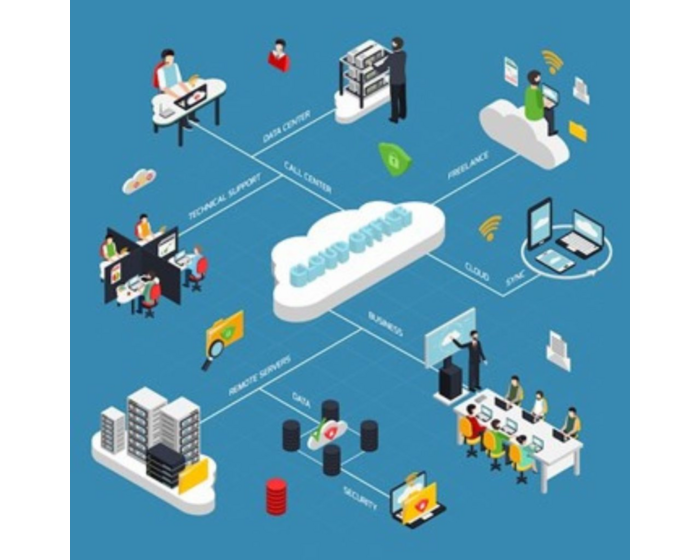
Let us help you build a highly secure, flexible cloud server that surpasses traditional onsite server systems, with scalable infrastructure tailored to your business needs. CNET is ready to support your business in utilizing AWS cloud servers effectively with our all-in-one service from planning and installation to 24/7 system maintenance. Who is this service for? Ideal for business owners or organizations that need: A fast-performing website or application with minimal risk of downtime Secure data storage with reliable disaster recovery options Reduced investment in high-performance physical servers The ability to scale up or down the server’s specifications based on business requirements A professional IT team to manage your organization’s servers and sensitive business data Key Features Scalability on Demand Start with a small server for new businesses and expand it as your organization grows. Trusted Security Our servers leverage world-class security protocols from Amazon Web Services (AWS), ensuring the safety of your confidential data. Our experienced team is always ready to support you if any issues arise. Access Anytime, Anywhere With 99.99% uptime SLA, you can rely on high system availability. As a cloud-based solution, your data is accessible wherever there’s internet. Plus, you can control your expenses by only paying for the actual server size and storage you need — no need to overspend on unused high-spec servers. This price also includes OS and database licenses (if applicable). Our professional support team will assist you throughout the usage period. Compatible with Various AWS Services: Amazon EC2 (Virtual Servers) Amazon S3 (File Storage) Amazon RDS (Databases) Amazon VPC (Virtual Private Cloud) Example Use Cases: Hosting websites or applications — from small-scale to high-traffic usage Secure data backup and recovery Development and testing environments accessible anytime, anywhere with speed and precision Interested or Need More Information? Contact our team at www.cnetthailand.com or call 02-821-5464. We're happy to assist and provide consultation. #AWS #CloudServer #CloudHosting #CNETThailand #ScalableInfrastructure #BusinessGrowth #SecureData #ITInfrastructure #ThailandBusiness #CloudSolutions

Hardware & IT Onsite Service|Strengthen IT systems with onsite support nationwide

CNET's "Hardware & IT Onsite Service" is a comprehensive support service designed to stabilize your organization's IT infrastructure, improve operational efficiency, and enhance overall productivity. The "Hardware & IT Onsite Service" is a fully outsourced solution developed to address issues related to IT infrastructure. This includes hardware and software maintenance, network inspection and upkeep, internal server management, and other IT support services. These services enable your organization to operate smoothly without IT-related disruptions, allowing you to fully focus on your core business activities. Service Highlights: Comprehensive IT Support: Covers maintenance of computers, networks, servers, and peripheral devices. Onsite Service: Experienced engineers are dispatched to your location for prompt troubleshooting. Basic IT Helpdesk Support: Offers assistance via phone or remote desktop—ideal for organizations with in-house IT staff who can follow remote instructions or for software-related user issues. Routine Maintenance: Regular system checks and maintenance by experienced engineers, aligned with your company’s IT policy and schedule, help reduce system downtime risks. Flexible Contract Terms: Choose between monthly or annual contracts based on your organization’s needs. Scope of Service Details: Maintenance of computer hardware and software Network system inspection and maintenance Server management and scheduled system checks Maintenance of peripherals like printers and scanners IT consultation and support Troubleshooting internal infrastructure and wireless networks Support System: Fast onsite response for issue resolution Consultation and initial troubleshooting via phone or remote desktop Ideal For: Small to Medium Businesses: Particularly those without dedicated in-house IT staff Businesses Seeking Stable IT Operations: Through regular system monitoring and maintenance Improving Work Efficiency: Quick IT issue resolution reduces operational delays CNET's "Hardware & IT Onsite Service" is a reliable solution that ensures IT system stability, enhances productivity, and supports continuous business growth. For more information, please contact us at www.cnetthailand.com or call 02-821-5464. #ITSupport #OnsiteIT #CNETThailand #HardwareMaintenance #ITSolutions #BusinessIT #NetworkSupport #ServerMaintenance #ThailandBusiness #ITOutsourcing

Business Analytics (BA)|Optimize operations by integrating logistics and accounting data

C NET's Business Analytics is a solution that integrates and analyzes logistics and accounting data to support operational improvements and more accurate decision-making. C NET’s Business Analytics (BA) is a data analysis solution designed to help companies utilize accumulated data to improve operational efficiency and decision-making accuracy. By integrating logistics and warehouse management data with accounting data, the solution aims to optimize inventory control, reduce costs, and improve business processes to solve concrete management challenges. Features - Easy Operation: Easily imports large datasets and enables intuitive analysis. - Multifaceted Analysis: Combines logistics and accounting data for comprehensive insights. - Visual Data Representation: Displays analysis results with graphs and charts for better understanding. - Long-Term Data Utilization: Leverages historical data to identify seasonal trends and fluctuations. Specifications - Supported Data: Logistics data, warehouse management data, accounting data, etc. - Analysis Functions: Trend analysis, cost analysis, inventory optimization analysis. - Display Formats: Graphs, charts, dashboards. - Deployment Models: Cloud-based or on-premises. Applications - Inventory Optimization: Analyze past shipment data to determine optimal inventory levels. - Cost Reduction: Identify and eliminate waste through logistics and inventory cost analysis. - Process Improvement: Analyze work efficiency and lead times to streamline operations. - Strategic Planning: Support strategic decision-making based on data insights. C NET's Business Analytics solution promotes effective data utilization to improve business efficiency and the accuracy of managerial decisions. ※ For more details, please contact us below or download the document for further information. #BusinessAnalytics #BA #DataAnalysis #LogisticsData #AccountingData #CostReduction #InventoryOptimization #CNETThailand #DataDriven #ProcessImprovement

GAZOQS (Camera)|Video tracking system for visualizing shipment and warehouse activities

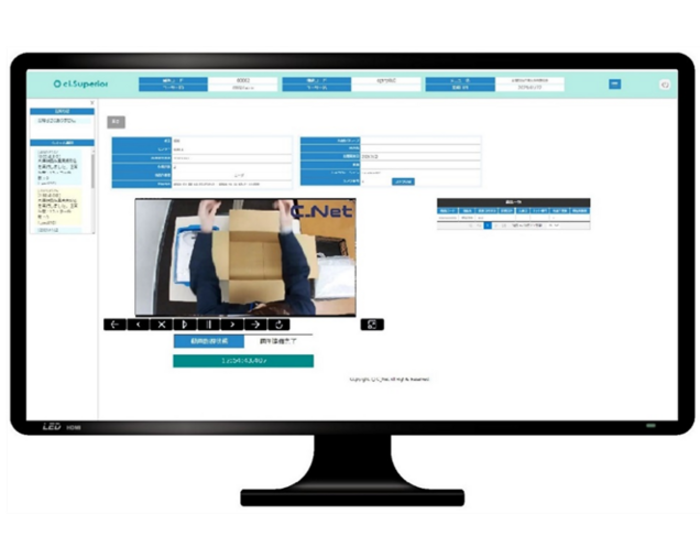
"ci.Superior/GAZOQS" integrates with the cloud-based surveillance camera system "GAZOCL" to instantly search for shipment and inspection operation footage. It accelerates inquiry responses and complaint handling, contributing to improved logistics quality. "ci.Superior/GAZOQS" is a solution that links with the cloud-based surveillance service "GAZOCL," allowing users to search operation footage based on shipment records. Using key information such as invoice numbers or timestamps, users can quickly locate and play back relevant footage, significantly reducing the time needed for inquiries and claims. It features patented technology for safely managing and operating warehouse footage in the cloud. Features - Instantly search and trace operational footage to speed up response to inquiries - Access videos linked to shipment records for smooth and swift complaint handling - Reduce losses from mistakes and re-delivery, improving customer satisfaction - AES256-level video encryption and TLS1.2 communication protection for high security - Open API for flexible integration with other systems - Simultaneous display of invoice data and video footage on the search screen for accurate operation confirmation Specifications - Functions Supported: - Video search by keyword/invoice number - Cloud video storage (7 days to max 5 years) - Linking of inspection/packing operation footage - Encryption Technology: - Data Storage: AES256 equivalent - Communication: TLS1.2 - Camera Support: - SD to 15MP, 360-degree, and thermal cameras - Supports both analog and network cameras Applications - Faster and more visible responses to shipping errors and claims - Secure evidence through video records of inspection and packing - Standardized warehouse operations and quality control across multiple locations - Use of video for training and operational improvement "ci.Superior/GAZOQS" supports logistics visualization and quality control through video, enhancing accuracy in on-site and customer-facing processes. ※ For more details, please contact us below or download the document for further information. #VideoTracking #GAZOQS #LogisticsQuality #ShipmentVerification #WarehouseOperations #CloudCamera #GAZOCL #CNET #SupplyChainVisibility #CustomerSatisfaction

What is WMS? | Basic Knowledge for Optimizing Logistics and Improving Warehouse Efficiency

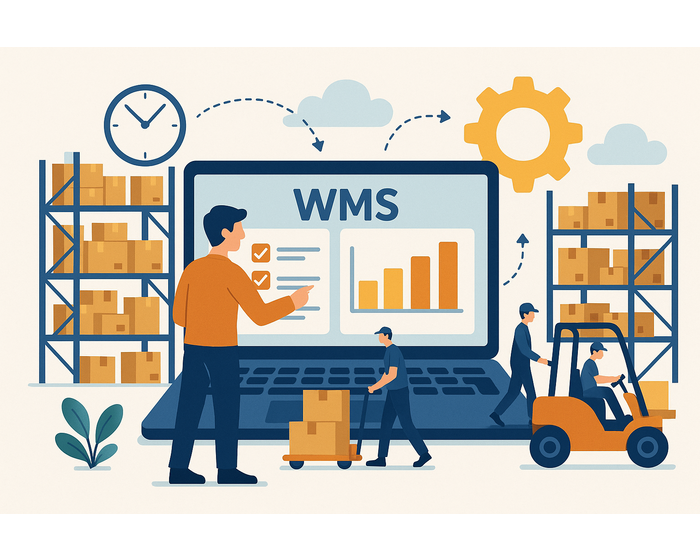
Understanding WMS is essential for improving warehouse management efficiency. We explain the basic structure, introduction benefits, and utilization methods of WMS as the key to logistics optimization, targeted at engineers. 1. What is WMS? The Core System Supporting Logistics Operations WMS (Warehouse Management System) is an IT system that centrally manages warehouse operations. It is used to visualize and improve efficiency in processes such as receiving, inspection, location management, inventory control, picking, packing, and shipping. Many companies have relied on spreadsheets and paper-based operations, but by implementing WMS, they achieve dramatic improvements in "accuracy," "speed," and "efficiency." Especially in today’s logistics environment, where e-commerce and frequent small-lot shipments are required, it is becoming increasingly difficult to continue operations without WMS. 2. Why WMS is Essential in Logistics Sites Logistics is not just “moving goods” — it is a strategic element that influences customer satisfaction and corporate profitability. The main reasons why WMS is gaining attention are: - Elimination of dependence on individual skills: enables standardized operations not reliant on specific workers - Real-time inventory tracking: prevents double-stocking and stockouts - Data utilization: visualizes data such as shipment volume, mis-shipment rate, and work time, leading to improvements - Cost optimization: reduces mis-shipments, stagnant inventory, and human errors, thus improving profitability For these reasons, companies of all sizes are implementing WMS. 3. Basic Functions and Effects of Implementing WMS Common functions of WMS include: - Receiving management: barcode inspection, automatic storage location proposals - Inventory management: real-time inventory inquiries, lot management, expiration date control - Shipping management: picking instructions, sorting, inspection, packing, label printing - Inventory counting functions: facilitates cycle counting and discrepancy analysis - Work progress visualization: manages who did what, when, and where Benefits include "improved shipping accuracy," "shorter lead times," "optimized workforce allocation," and "reduced inventory counting time." Particularly at sites with high-mix, high-frequency shipments, WMS greatly reduces operational burdens. 4. Points for Optimizing Logistics with WMS Simply implementing WMS does not achieve optimization. The following points are essential: ① Thoroughly analyze current operations It is vital to visualize current workflows and identify inefficiencies or potential errors before defining WMS requirements. ② Consider customizability and scalability Check whether the system fits your specific operations and whether it can be expanded to new locations or integrated with other systems in the future. ③ Emphasize staff training and operational rules WMS is a tool - the results depend on how it’s used. Preparing manuals, conducting training, and trial operations are key to success. #WMS #WarehouseManagement #LogisticsOptimization #InventoryControl #WarehouseEfficiency #LogisticsThailand #CNET #RealTimeInventory #SupplyChain #EngineerTips

How to Choose a WMS That Integrates with ERP | Key Points & Common Pitfalls to Avoid

Centralize inventory, shipping, and order information through WMS and ERP integration. This article explains the key points and cautions for selecting a WMS to prevent operational disconnects and achieve smooth information sharing. 1. Roles of WMS and ERP A WMS (Warehouse Management System) manages warehouse inventory, location control, inbound and outbound operations, and picking instructions. On the other hand, an ERP (Enterprise Resource Planning) system integrates core business operations such as sales, purchasing, inventory, accounting, and HR across the entire company. Their roles are clearly defined: WMS is used for precise operational control at the warehouse level, while ERP supports decision-making and performance management at the business and management levels. 2. Why is WMS and ERP integration important? A WMS alone can optimize warehouse management, but without integration with other departmental data such as order information or production instructions, information disconnects can occur. Integrating WMS with ERP provides the following benefits: - Reduces order and delivery errors through real-time inventory sharing - Improves customer satisfaction by visualizing shipping and delivery status - Shortens lead times from order to shipment In other words, integrating WMS and ERP is essential as a data linkage platform connecting operations and management. 3. Three criteria for selecting a WMS with ERP integration When choosing a WMS designed to integrate with ERP, consider these criteria: ① Flexible interface support Check whether it can connect to ERP through various methods such as APIs, EDI, and file integration. ② Modular customization capability It is desirable that the WMS allows you to implement and integrate only the necessary functions to match the ERP configuration. ③ Operational support and troubleshooting system Since ERP integration increases the impact of potential issues, the reliability of the support system is an important selection criterion. 4. Pitfalls to watch out for during implementation When introducing a WMS with ERP integration, be mindful of the following points: - Workflow inconsistencies: Differences in control units or timing between ERP and WMS can disrupt operational alignment. Thorough business process analysis is crucial beforehand. - Ensuring data consistency: It is essential to organize master data, such as unifying code systems and clarifying data update timing. - Lack of training during implementation: Since workflows change with the system introduction, adequate education and training are necessary to avoid confusion on the ground. Ignoring these points may increase the operational burden on the warehouse rather than improving it. #WMS #ERP #WMSIntegration #WarehouseManagement #LogisticsOptimization #SupplyChain #InventoryManagement #WarehouseThailand #CNET #EngineerTips

How to Effectively Utilize ERP to Integrate Production, Sales, and Inventory

ERP integrates production, sales, and inventory information into a single platform. Learn how to leverage ERP to achieve overall optimization and make real-time management decisions. 1. Challenges caused by disconnected production, sales, and inventory In many companies, production, sales, and inventory management departments operate with separate systems and methods. This fragmentation causes several problems: - Sales departments cannot accurately grasp inventory status, leading to over-ordering or stockouts. - Production plans become misaligned with actual sales results, resulting in excess inventory or delivery delays. - Reconciliation and data aggregation take time, undermining real-time operations. - Ambiguous division of responsibilities among departments makes operational improvements difficult. To avoid these issues, centralized management using ERP is essential. 2. Mechanism and benefits of centralized management with ERP By utilizing ERP, all information related to sales, production, and inventory is shared and linked in real time within one system. This eliminates information silos between departments and streamlines overall operations. Key benefits include: - Reduced stockouts and excess inventory through accurate inventory visibility. - Ability to create production plans based on demand forecasts. - Faster production and procurement decisions enabled by immediate sales data reflection. - Improved decision-making speed for management, such as daily progress checks. In this way, ERP not only enhances operational efficiency but also improves overall profitability and competitiveness. 3. ERP functions required for integrated management To centralize production, sales, and inventory, ERP systems need the following functions: - Sales management module: Real-time management of orders, shipments, billing, and accounts receivable. - Production management module: Production instructions, process management, progress and performance tracking, cost calculation, etc. - Inventory management module: Lot control, inbound and outbound management, inventory counts, valuation, and allocation. - Master data management: Centralized management of product, component, supplier, and process information. - Real-time reporting function: Automated generation and visualization of cross-departmental analysis reports. In addition, smooth data linkage functions (such as EDI and API) are crucial. For companies requiring integration with logistics or external factories, linkage with WMS and TMS is particularly key. 4. Practical points for optimizing overall operations with ERP When introducing and utilizing ERP, paying attention to the following points is key to success: ① Review business processes driven by on-site operations While ERP can be customized to fit existing processes, standardizing and integrating workflows on the ground reduces operational burden. ② Company-wide master data maintenance Master data such as product codes, supplier codes, and inventory classifications form the foundation of ERP operations. Inaccurate data undermines information reliability. ③ Institutionalizing the PDCA cycle ERP implementation is not the end goal. It's essential to continuously improve operations using reporting functions to visualize issues and take action. #ERP #IntegratedERP #ProductionManagement #InventoryControl #SalesManagement #SupplyChain #BusinessOptimization #CNET #SimLex #ThailandBusiness

ERP|The Basic Structure of Systems Integrating Core Business Operations

ERP is an integrated business system that supports the core of corporate activities. This article explains the indispensable mechanism that strengthens inter-departmental collaboration and enhances productivity and decision-making speed. 1. Basic concept and purpose of ERP ERP stands for Enterprise Resource Planning. In Japanese, it is translated as "enterprise resource planning." Its purpose is to centrally manage and efficiently utilize corporate resources such as people, goods, money, and information through an integrated business system. Previously, each department built its own system, leading to problems such as information fragmentation, duplicate data entry, and lack of consistency. ERP emerged to solve these issues, integrating the business processes of the entire company to enable real-time information sharing and decision-making. 2. Main business areas covered by ERP ERP systems cover a wide range of corporate activities. Typical modules include: - Sales management: orders, shipping, sales, invoicing, payment processing - Procurement management: purchasing, receiving, inspection, payment management - Inventory management: inbound/outbound, lot & location control, inventory counts - Production management: manufacturing instructions, process control, progress & cost management - Accounting management: journal entries, ledgers, closing, financial statement output - HR and payroll management: employee data, attendance, payroll, bonuses, social insurance By operating these in a single system, consistency between tasks is ensured, and inefficiencies such as duplicate input and aggregation errors are eliminated. 3. ERP structure and system integration ERP is fundamentally modular, allowing companies to select and implement only the functions needed based on their industry and scale. In recent years, API-enabled ERPs designed to integrate with peripheral systems like WMS (Warehouse Management System), TMS (Transport Management System), and CRM (Customer Relationship Management) have become mainstream. Key points for system integration include: - Data structure consistency (unified code system) - Centralized master data management - Alignment of processing timing and transactions - Security and access rights control Only when these mechanisms are properly designed does ERP function as a company's overall information infrastructure. 4. Business improvement effects of ERP implementation Implementing ERP provides companies with the following benefits: - Visualization and standardization of operations: moving away from individual-dependent tasks, improving productivity - Real-time management information: shifting from monthly to daily, and ultimately real-time management - Strengthened internal controls: centralized transaction history for audit support - IT cost reduction: reducing operational and maintenance burdens by integrating multiple systems However, understanding from on-site staff and reviewing business processes are essential. ERP introduction should be viewed not merely as a system update but as a "business transformation." #ERP #EnterpriseResourcePlanning #IntegratedBusiness #BusinessOptimization #ProcessImprovement #CNET #SimLex #ThailandBusiness #RealTimeManagement #DigitalTransformation

Differences Between Cloud ERP and On-Premise ERP and How to Choose

The differences between cloud ERP and on-premise ERP are not limited to deployment methods. We explain in technical detail how to make the optimal choice according to business requirements, operational structure, and security needs. 1. Two Deployment Methods for ERP ERP (Enterprise Resource Planning) is a core system that integrates and manages sales, production, accounting, inventory, and more. There are two main deployment types for ERP. One is cloud ERP, where you use a system provided by a vendor via the internet for a monthly fee. The other is on-premise ERP, where the system is built and operated on your own servers. Which one is suitable depends on your company's business characteristics, system operation structure, and security policies. 2. Features of Cloud ERP and On-Premise ERP Cloud ERP is characterized by its quick implementation and lower initial investment. Since infrastructure maintenance and operation are handled by the vendor, it is easier to introduce even in companies lacking IT personnel. It is also highly compatible with network connections between offices and remote work. On the other hand, customization is limited, so it may not be suitable if you need detailed adjustments to match your business. Also, as it relies on internet connections, risks during communication failures must be considered. On-premise ERP allows detailed customization to match internal business processes and can more easily meet internal security policies and compliance requirements. In the long run, it may also be more cost-effective. However, initial costs tend to be higher, and server management and system maintenance must be handled internally, which increases the IT department’s workload. 3. Points to Compare and Consider When Implementing When comparing cloud ERP and on-premise ERP, the following perspectives are important: - Initial and running cost structure: Cloud is subscription-based, on-premise involves asset purchase. It’s necessary to compare using TCO (Total Cost of Ownership) over the long term. - Need for customization: If operations can fit standard business processes, cloud is suitable; if you need to fit unique business processes, on-premise is better. - Operation and maintenance structure: Whether you have resources to maintain the system internally or need to outsource affects your choice. - Security requirements: In some industries, it is necessary to keep information within the company, so on-premise is recommended. - Implementation speed and scalability: If you need quick deployment or rapid expansion, cloud is advantageous. 4. Decision Criteria to Avoid Failure in ERP Selection The key to ERP selection is accurately understanding your business requirements and choosing the deployment method that fits them. The following criteria are the decision axes: - Is there scalability to support future business expansion? - Can it be operated with in-house IT skills and resources? - Is data collaboration with external parties needed? - Can it comply with industry security and legal requirements? - Can future migration plans (e.g., from on-premise to cloud) be envisioned? Regardless of the deployment method, it is important to make decisions not only from the perspective of operational efficiency but also with a view to accelerating management decisions and enhancing corporate value. #ERP #CloudERP #OnPremiseERP #ERPSelection #BusinessOptimization #DigitalTransformation #SimLex #CNET #ITStrategy #ThailandBusiness

Cloud Server Architecture | Benefits, Scalability, and Disaster Recovery Explained

Cloud servers reduce IT costs and boost operational efficiency through flexible resource allocation and high system availability. Learn the technical structure and business advantages of adopting cloud infrastructure. What is a Cloud Server? A cloud server is a virtualized computing environment delivered via the internet. It allows users to access scalable resources such as CPU, memory, and storage without relying on physical hardware. As a core model of IaaS (Infrastructure as a Service), cloud servers offer flexible and cost-effective IT infrastructure. These systems are built using virtualization and distributed computing technologies, making them ideal for running enterprise applications, web systems, databases, and AI/ML platforms. ■ Basic Structure of Cloud Servers Cloud servers provide isolated computing environments for multiple users through virtualization. Their core components include: - Virtual Machines (VMs) or Containers Run independent OS environments. Containers like Docker enable faster deployment with less overhead. - Hypervisor Virtualization software (e.g., VMware ESXi, KVM, Hyper-V) that manages VMs on physical servers. - Orchestration Tools Tools like Kubernetes and OpenStack automate load balancing, failover, and resource scaling. - Management Interfaces Users can manage servers in real time via APIs or web consoles. - Scalable Storage & Networking Includes block/object storage and virtual networks that connect VMs securely and efficiently. ■ Benefits of Implementing Cloud Servers Adopting cloud infrastructure offers clear advantages for businesses: - Lower Initial Costs No need for physical server purchases—only pay for resources used. - Scalability on Demand Dynamically adjust CPU, RAM, and storage during peak periods or growth phases. - Reduced Maintenance Burden Cloud providers handle routine tasks like OS updates, backups, and system monitoring. - Improved Disaster Recovery (DR) Automatic failover, snapshots, and data redundancy ensure system availability. - Supports Business Continuity Planning (BCP) Geographic redundancy protects business operations during disasters. ■ Technical Points to Consider Before Adoption Before migrating to a cloud server, assess the following: - Performance Needs Select instance types that match your CPU, disk I/O, and network bandwidth requirements. - Security Architecture Use encryption, access control, and audit logging to safeguard your environment. - Running Cost Estimation Understand pricing models (e.g., pay-as-you-go) to manage monthly budgets. - Vendor Lock-In Avoidance Build systems with portable architecture and standardized APIs to retain future migration flexibility. #CloudServer #ITInfrastructure #Virtualization #BusinessContinuity #DisasterRecovery #CloudComputing #Kubernetes #DataCenter #IaaS #SystemMigration

Why ERP is Needed Now|Its Role as the Starting Point for Manufacturing DX

ERP is not merely a business system, but a core foundation for promoting DX (Digital Transformation) in the manufacturing industry. This article explains why ERP is gaining importance now, its underlying factors, specific functions, and implementation benefits from both technical and operational perspectives. 1. The Current State of Manufacturing That Requires Digitalization Manufacturing is facing growing challenges such as labor shortages, rising raw material costs, and increasingly complex global supply chains. At the same time, many shop floors still rely heavily on paper records and Excel, making real-time visibility and interdepartmental collaboration difficult. Against this backdrop, ERP (Enterprise Resource Planning) is being re-evaluated as a system infrastructure that integrates business processes and enables real-time decision-making. ERP is not just a management tool, but serves as an “information hub” that connects top management with the factory floor—a vital entry point for DX. 2. Why ERP is the Starting Point for Manufacturing DX DX in manufacturing means more than simply introducing IT—it involves using data to redesign workflows and enhance competitiveness. To achieve this, departments must operate not in isolation, but in collaboration on a unified data platform. ERP is ideal for initiating DX for the following reasons: - Centralized Data Management: Real-time linkage of sales, inventory, production, procurement, and accounting data - Standardization and Visualization: Eliminates siloed management, integrates workflows, and optimizes processes - Faster Decision-Making: Real-time data enables rapid judgment and action - System Integration Foundation: Easily connects with IoT, BI tools, MES, and other systems These features make it possible to realistically advance management-enhancing reforms such as de-personalization of processes, lead time reduction, and inventory optimization. 3. Concrete Benefits of ERP in Manufacturing Companies that have implemented ERP report the following outcomes: - Inventory Optimization: Real-time visibility of inventory, work-in-progress, and materials significantly reduces overstock and stockout risks - Shorter Lead Time from Order to Delivery: Automated and integrated workflows improve delivery reliability - Enhanced Cost Control: Real-time cost data by part and process allow for structural cost improvements - Stronger Internal Controls: Logging and tracking in the system helps prevent fraud and operational mistakes These outcomes should not be seen as simple operational improvements, but as strategies to fundamentally strengthen corporate competitiveness. 4. Key Points and Cautions in Choosing ERP When implementing ERP, it's essential to select a system suited to your company’s industry, operations, and scale. For manufacturing, it is especially important to choose an ERP with robust production, inventory, and procurement features. Key evaluation points include: - Compatibility with your business processes (availability of industry-specific templates) - Flexible module customization - Ease of use for on-site workers - Future scalability (e.g., IoT integration, cloud support) - Vendor support structure and implementation track record ERP is not a system that ends with installation. Ongoing support for adoption and business process reform is crucial, and having a capable partner is key to long-term success. #ManufacturingDX #ERPImplementation #SmartFactory #InventoryOptimization #CostControl #DigitalManufacturing #ERPforFactories #MESIntegration #IoTERP

How to Prevent Inventory Errors with WMS|Eliminate Count and Location Mistakes

Inventory count errors can lead to financial losses and operational delays. Discover how WMS (Warehouse Management System) helps eliminate human errors, miscounts, and inconsistencies in stocktaking through automation, traceability, and real-time data updates. 1. Common Causes of Inventory Errors Inventory tasks are prone to the following mistakes: - Manual Input Errors: Mistakes from handwritten logs or manual data entry - Location Confusion: Items counted in incorrect storage zones - Inconsistent Procedures: Varying methods across staff members - Real-Time Mismatch: Inventory changes during simultaneous stocktaking and daily operations These issues arise mainly from manual processes and decentralized data. 2. How WMS Improves Inventory Accuracy WMS directly addresses error-prone points with these core features: - Mobile Integration Use barcode scanners or tablets to automate data input. Real-time updates ensure inventory accuracy and prevent duplicate records. - Automated Location Mapping Each item is linked to a specific bin location in the system, preventing miscounts. Workers follow system-guided instructions to minimize errors. - Inventory Mode Function Switching to a dedicated stocktaking mode halts or separates regular transactions, ensuring that stock movement during inventory counts doesn't distort results. - Action Logging and Traceability Every action is logged who counted what, when, and where. This allows easy discrepancy investigation and supports root cause analysis. 3. Boosting Efficiency with System Integration WMS becomes even more powerful when connected to other systems: - ERP Integration: Synchronizes inventory data with finance and purchasing - MES Connectivity: Enables real-time stock management of work-in-progress items - BI Tool Compatibility: Analyzes discrepancy trends and supports strategic inventory planning → This integration enhances company-wide inventory precision and operational productivity. 4. How to Select the Right WMS for Inventory Accuracy Make sure your WMS has the following features: - Real-time inventory update capability - Granular location (bin/shelf) management - Built-in inventory mode and traceability logging - Compatibility with mobile terminals and handhelds - Flexible integration with your ERP, MES, or BI systems Thoroughly analyze your current inventory process and choose a WMS that aligns with your operational needs. #WarehouseManagement #InventoryAccuracy #WMS #StocktakingError #BarcodeInventory #ERPIntegration #ThailandIndustry #FactorySolutions

Common WMS Problems After Implementation|Causes and Solutions from the Factory Floor

WMS systems promise efficiency and accuracy, but many factories struggle with operational issues after implementation. This article explains typical WMS problems and practical solutions that work in real operations. Implementing a WMS (Warehouse Management System) is expected to improve inventory accuracy, reduce errors, and streamline logistics. However, many factories experience unexpected operational problems after going live. Understanding these challenges and preparing solutions can significantly improve your WMS's success. 1. Objectives and Benefits of WMS A WMS centrally manages warehouse data in real-time — covering receiving, shipping, inventory, and stocktaking. It offers key benefits: - Accurate, real-time inventory visualization - Streamlined picking and shipping operations - Elimination of worker dependence through task standardization - Reduced stockouts and shipping errors However, many factories report that systems are underutilized or cause confusion in the early stages. 2. Common Operational Issues and Solutions ・ Delays in Inbound/Outbound Processing Cause: Human error, incorrect master data settings Solution: - Train staff during implementation - Provide clear operation manuals - Use barcodes or RFID for automation ・ Inventory Discrepancies Cause: Delay between physical movements and system updates Solution: - Enforce real-time data entry rules - Monitor for procedural violations ・ Workload Imbalance & Low Efficiency Cause: WMS logic doesn't match real operations, poor layout or manpower planning Solution: - Use WMS data to optimize picking routes and layouts - Adjust staffing based on actual workflow ・ No Backup During System Downtime Cause: No BCP (Business Continuity Plan) Solution: - Prepare offline operation modes - Establish paper-based backup procedures 3. Technical Issues and Countermeasures ・ Inaccurate Master Data Issue: Incomplete or inconsistent product/location data Solution: - Audit master data before WMS launch - Standardize formats and maintain regularly ・ Integration Failures with ERP or TMS Issue: Data inconsistency or double entry Solution: - Use API or EDI with clear field mapping - Test thoroughly before deployment 4. On-Site Improvement Practices A WMS cannot operate effectively without ongoing support from frontline teams. Continuous improvement ensures alignment with real-world factory operations. Recommended practices: - Regularly gather feedback from warehouse staff - Track KPIs like shipping accuracy and work time - Gradually implement enhancements based on priorities - Clearly define roles for all WMS users These steps ensure long-term success and real benefits from your WMS investment. #WMS #WarehouseManagement #FactoryIT #InventoryAccuracy #Logistics #FactoryAutomation #BCP #ThailandFactory #WarehouseSolutions

Maximize Operational Efficiency with WMS|Reduce Errors, Optimize Inventory, and Shorten Lead Time

A WMS helps reduce errors, improve stock accuracy, and maximize efficiency across receiving, storage, and shipping processes while supporting long-term business growth. 1. What is a WMS? A WMS, or Warehouse Management System, is software that controls and optimizes every step in warehouse operations from inbound receiving, putaway, and picking, to packing and outbound shipping. Its key strength is real-time data management, reducing reliance on paper and Excel, which often cause errors such as stock discrepancies, dependence on individual workers, and a lack of standardized workflows. 2. Key Functions that Improve Efficiency - Real-Time Stock Management → Instantly know the location and quantity of goods, preventing overstock or stockouts. - Location Management → Automatically assigns storage locations based on item size, picking frequency, and distance. - Picking Instructions → Guides workers along the shortest routes to reduce walking time. - Work Progress Tracking → Enables managers to see task status and reassign resources instantly. - Traceability → Records “who–did–what–when–where” to support quality inspections. 3. Results of Using a WMS - Reduced Shipping Errors → In some cases, lowered to under 0.1%. - Higher Inventory Turnover → Reduces dead stock and maintains optimal inventory levels. - Shorter Lead Times → Cuts the time for receiving, storing, picking, and shipping. - Standardized Workflows → Reduces dependency on specific individuals. These benefits not only improve operational efficiency but also enable faster order fulfillment and boost customer satisfaction. 4. Tips for Effective WMS Implementation - Start by Listening to On-Site Feedback → Design the system around real problems and actual workflows. - Implement Gradually → Begin with processes that are easy to adjust before expanding. - Provide Training and Easy-to-Understand Manuals → Teach both the "how" and the "why" behind each task. - Measure and Continuously Improve → Set KPIs such as stock accuracy rate and picking speed, then use the PDCA cycle to make ongoing improvements. #WMS #WarehouseManagementSystem #InventoryAccuracy #LogisticsOptimization #PickingProductivity #Traceability #LeadTimeReduction #ManufacturingEfficiency

ERP vs WMS vs MES|Differences, Roles & Impact on Manufacturing Efficiency

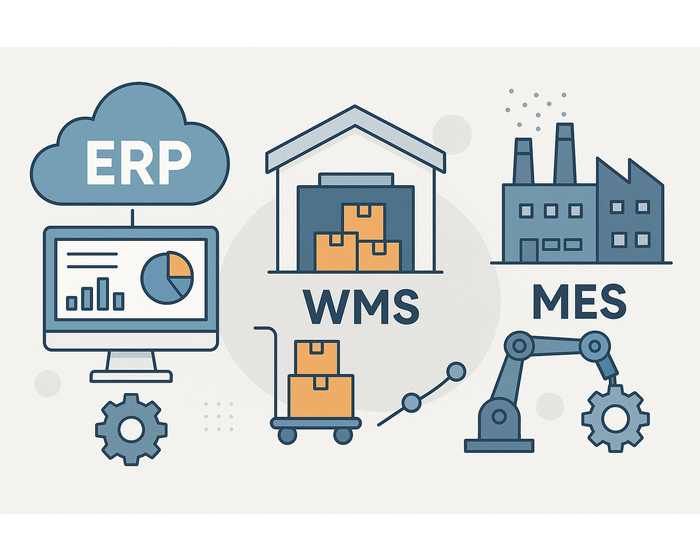
Understanding the differences between ERP, WMS, and MES helps manufacturers choose the right system to boost productivity, reduce waste, and enhance decision-making. In the digital transformation of the manufacturing sector, three core systems stand out: ERP (Enterprise Resource Planning), WMS (Warehouse Management System), and MES (Manufacturing Execution System). Each plays a distinct role, and selecting the right one or combination can lead to dramatic improvements in factory operations. 1. What is ERP: Integrated Management Across the Enterprise ERP integrates resources people, materials, money, and information into one system, allowing for unified management across departments such as accounting, HR, procurement, sales, and production. For manufacturers, ERP ensures smooth operations from order to shipment and accounting, helping management visualize the entire workflow and make fast, informed decisions. Example Use Case: A factory in Chonburi uses ERP to unify its procurement and production data, reducing purchase duplication and accelerating order processing by 20%. 2. What is WMS: Real-Time Inventory and Warehouse Optimization WMS specializes in managing warehouse operations tracking stock levels, locations, and inventory movement. It streamlines receiving, picking, and shipping while reducing overstocking and improving response time. In industries where material availability directly affects production timelines, a WMS is essential for maintaining accurate raw material and WIP (Work in Progress) status. Example Use Case: A manufacturer in Rayong uses WMS to reduce inventory check times by 40% and avoid delays from material stock-outs. 3. What is MES: Real-Time Shop Floor Visibility MES works at the operational layer, executing production plans and capturing real-time data from the shop floor. It monitors work instructions, machine status, quality control, and operator performance. While ERP supports strategic planning, MES handles ground-level execution. This visibility enables better control of QCD (Quality, Cost, Delivery) and supports Kaizen (continuous improvement). Example Use Case: An electronics factory uses MES to track production progress in real-time, cutting quality inspection times by 30% and increasing output predictability. 4. Key Differences and Implementation Strategy Although ERP, WMS, and MES all aim to improve manufacturing efficiency, they differ in scope and application: - ERP is ideal for executives and administrative departments to manage cross-functional processes and data. - WMS supports logistics and warehouse teams by enhancing inventory accuracy and workflow speed. - MES enables production staff to monitor shop floor activities in real time, helping improve quality, cost, and delivery metrics. Choose a system based on the primary challenge you're facing: - If you lack real-time visibility on the production floor, start with MES. - If you're dealing with stock discrepancies or delays, WMS is your solution. - If your business needs holistic, cross-department management, implement ERP first. 5. Selecting the Right System for Your Factory Implementing ERP, WMS, or MES correctly can significantly improve productivity and profitability. However, deploying all systems at once can be risky. It’s often best to begin with the system that solves your biggest problem, then scale. Tips: - Ensure each system can integrate with the others. - Select systems based on current process maturity. - Use KPIs to evaluate impact before expanding implementation. #ERP #WMS #MES #ManufacturingEfficiency #FactoryManagement #InventoryControl #ProductionPlanning #ThaiFactories #IndustrialSoftware #SmartFactory


CONTACT

Inquiry

This is the inquiry form for C NET (THAILAND) CO., LTD.. Please enter your inquiry.

This service is intended to provide consultation and opinion requests for processing projects.
Please do not use this information for self-promotion or sales activities.
If we receive a complaint from a recipient about the contents of the transmission, we may take measures such as forcibly stopping the use of the service.

Inquiry Type*Required
Message*Required
Attach file

Only image (jpeg, jpg, gif, png, pdf) and compressed file (zip, lzh) extensions are valid. Maximum file size 10MB