
C NET (THAILAND) CO., LTD.
SERVICE
Production Goods & Services
ERP vs WMS vs MES|Differences, Roles & Impact on Manufacturing Efficiency
Product Info
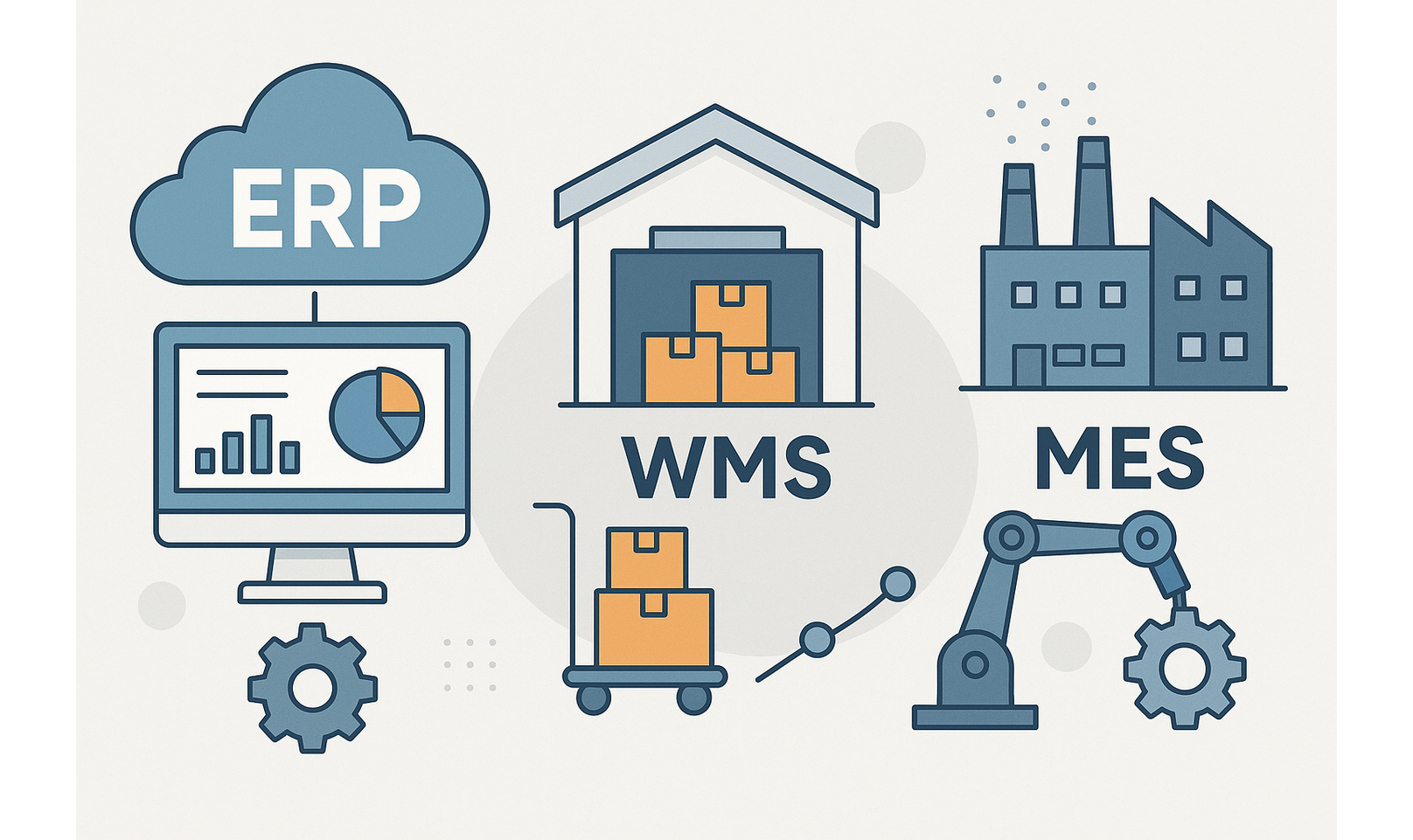
Understanding the differences between ERP, WMS, and MES helps manufacturers choose the right system to boost productivity, reduce waste, and enhance decision-making.
In the digital transformation of the manufacturing sector, three core systems stand out: ERP (Enterprise Resource Planning), WMS (Warehouse Management System), and MES (Manufacturing Execution System). Each plays a distinct role, and selecting the right one or combination can lead to dramatic improvements in factory operations.
1. What is ERP: Integrated Management Across the Enterprise
ERP integrates resources people, materials, money, and information into one system, allowing for unified management across departments such as accounting, HR, procurement, sales, and production.
For manufacturers, ERP ensures smooth operations from order to shipment and accounting, helping management visualize the entire workflow and make fast, informed decisions.
Example Use Case:
A factory in Chonburi uses ERP to unify its procurement and production data, reducing purchase duplication and accelerating order processing by 20%.
2. What is WMS: Real-Time Inventory and Warehouse Optimization
WMS specializes in managing warehouse operations tracking stock levels, locations, and inventory movement. It streamlines receiving, picking, and shipping while reducing overstocking and improving response time.
In industries where material availability directly affects production timelines, a WMS is essential for maintaining accurate raw material and WIP (Work in Progress) status.
Example Use Case:
A manufacturer in Rayong uses WMS to reduce inventory check times by 40% and avoid delays from material stock-outs.
3. What is MES: Real-Time Shop Floor Visibility
MES works at the operational layer, executing production plans and capturing real-time data from the shop floor. It monitors work instructions, machine status, quality control, and operator performance.
While ERP supports strategic planning, MES handles ground-level execution. This visibility enables better control of QCD (Quality, Cost, Delivery) and supports Kaizen (continuous improvement).
Example Use Case:
An electronics factory uses MES to track production progress in real-time, cutting quality inspection times by 30% and increasing output predictability.
4. Key Differences and Implementation Strategy
Although ERP, WMS, and MES all aim to improve manufacturing efficiency, they differ in scope and application:
- ERP is ideal for executives and administrative departments to manage cross-functional processes and data.
- WMS supports logistics and warehouse teams by enhancing inventory accuracy and workflow speed.
- MES enables production staff to monitor shop floor activities in real time, helping improve quality, cost, and delivery metrics.
Choose a system based on the primary challenge you're facing:
- If you lack real-time visibility on the production floor, start with MES.
- If you're dealing with stock discrepancies or delays, WMS is your solution.
- If your business needs holistic, cross-department management, implement ERP first.
5. Selecting the Right System for Your Factory
Implementing ERP, WMS, or MES correctly can significantly improve productivity and profitability. However, deploying all systems at once can be risky. It’s often best to begin with the system that solves your biggest problem, then scale.
Tips:
- Ensure each system can integrate with the others.
- Select systems based on current process maturity.
- Use KPIs to evaluate impact before expanding implementation.
#ERP #WMS #MES #ManufacturingEfficiency #FactoryManagement #InventoryControl #ProductionPlanning #ThaiFactories #IndustrialSoftware #SmartFactory
CATALOG
Related Catalogs
CONTACT
Inquiry